Solar Panels
 Solar Controllers
 Batteries
 Inverters
 Mains Chargers
 DC-DC Chargers
 Cables & Accessories
 Power Converters
 Monitoring
 Kits
Kits
 By Brand

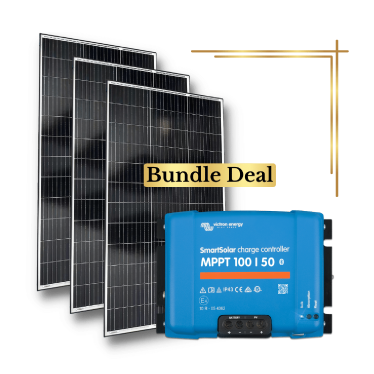






















Mopeka Pro Check Universal Bluetooth Tank Level Sensor (Victron Compatible)
99.5% Accuracy, Victron Compatible, Multi-Commodity, 5-Year Battery




 Victron 24V 3000VA MultiPlus-II 24/3000/70-32 I...
DESCRIPTION
Mopeka Pro Check Universal Tank Level Sensor
Introducing the Mopeka Pro Check Universal Sensor, the evolution of our renowned Pro Check Technology, offering enhanced usability and connectivity, along with ground-breaking new features:
Improved Accuracy – Building upon the Pro Check’s 99% accuracy, the Pro Check Universal achieves an impressive 99.5% accuracy level.
Expanded Compatibility – The Tank Check App accompanying the Pro Check Universal now supports additional commodities, including diesel, oil, water, propane, butane, anhydrous, and other liquid commodities.
63% Increase in Battery Life – Enjoy a substantial increase in battery life compared to the original Pro Check.
Secure Mounting Collar – Ensures safe and secure attachment to non-magnetic surfaces, coupled with dielectric grease for added protection. Elevate your outdoor cooking and propane-powered experiences with confidence using this advanced digital propane tank gauge. The Pro Check Universal is essential for outdoor enthusiasts, offering real-time updates on your propane level via a seamless mobile app connection. Additionally, the sensor can measure other liquid commodities such as oil, diesel, and water.
Effortless Installation – Bid farewell to complex setups. The tank sensor easily attaches to the underside of your tank using powerful magnets or mounting collars, securing within seconds. Designed to fit tank sizes up to 250 gallons, the sturdy magnets and mounting collars ensure the sensor remains firmly in place on your RV’s propane tanks, providing peace of mind during your travels.
Extended Battery Life – The tank sensor boasts a significantly longer-lasting battery, ensuring prolonged operation without replacement. When needed, the battery is replaceable.
Cutting-Edge Technology – The Pro Check Universal features integrated temperature sensing, a tank “bubble level” indicator, configurable sample timing, firmware updates, and customisable alarms/alerts, all enhancing reading quality and precision. It seamlessly works with both vertical and horizontal cylinders, offering versatility and reliability for tank monitoring.
Free Mobile App – Download the user-friendly “Tank Check” app for free from the Apple App Store or Google Play. With unlimited tank and sensor support, the app allows customisable alarms to suit your preferences.
Upgrade to the Mopeka Pro Check Universal Sensor for unparalleled convenience, accuracy, and precision in monitoring your tank levels.
*For aluminium LP gas cylinders, please also purchase the Mopeka Pro Check Universal Collar Set (LPG Cylinders) for the most secure fit to the base of your aluminium LP gas cylinder.
Communication – How to Read Level
Free Mopeka Tank Check Bluetooth app on your smartphone or tablet, or Mopeka Check LED Display.
Power
CR2032 battery
Installing the Mopeka Pro Check Universal
1. Go to your app store. Search for the Mopeka Tank Check app and install it.
2. Launch the app. When it starts, it will automatically begin searching for Mopeka sensors.
3. Press and hold the SYNC button until the sensor appears in the app. This may take up to 10 seconds.
4. The sensor will then appear in your app as a new device.
5. The sensor is now synced. You may now proceed to installing the sensor on the tank.
6. Clean the bottom of the tank of any debris.
7. See the graphic below for the recommended installation location on the bottom of the water tank.
8. Apply the provided primer to the area of the tank that will be contacted by the adhesive on the collar. Squeeze the primer tube, as shown on the primer, to release the flow of primer.
9. Peel the paper from the adhesive on the collar and press the collar firmly onto the tank. Press firmly on every collar flange to ensure the adhesive makes good contact and is properly activated.
10. Apply a generous amount of the supplied dielectric grease directly to the sensor pad before attaching the sensor to the tank.
11. Install the sensor into the collar with the SYNC button facing away from the tank. The black rubber contact pad should make contact with the tank bottom.
12. Install the snap ring over the sensor and collar to retain the sensor.
Victron Energy Mopeka Pro Sensor Support Cerbo GX Integration
Introduction
Mopeka Pro Check-Water and Pro Check-Sensor LPG support has been added to Venus OS. These ultrasonic sensors use BLE (Bluetooth Low Energy), a wireless technology that allows devices to be networked within a range of about 10 metres, while consuming significantly less power compared to ordinary Bluetooth technology.
The Mopeka Pro sensors feature ultrasonic sensing for water and LPG tanks in horizontal or vertical cylinders and mount to the bottom of those tanks by magnets. The liquid level, temperature, and sensor battery voltage are streamed wirelessly to the GX device.
Note that the Cerbo GX and Cerbo-S GX built-in Bluetooth connection is disabled when the internal CPU temperature exceeds 53 degrees C, influenced by load and/or ambient temperature. For reliable operation, it is necessary to use a USB Bluetooth adapter.
USB Bluetooth adapters that have been tested and are known to work:
-
Insignia NS-PCY5BMA2
-
Logilink BT0037
-
TP-Link UB400(UN)
-
Ewent EW1085R4
-
Laird BT820
-
Laird BT851
-
Kinivo BTD-400
-
Ideapro USB Bluetooth adapter 4.0
A list of additional adapters that are also being tested, as well as adapters that have been tested and are known not to work, is available here: https://communityarchive.victronenergy.com/questions/112834/connect-ruuvi-to-ccgx.html
Installation
The installation of the Mopeka Pro sensor is very simple. First, however, the sensor must be installed according to Mopeka’s installation instructions and configured via the Mopeka Tank Check app, available from Google Play and the Apple App Store. The installation and configuration are then completed in the GX device as described below.
-
Make sure Bluetooth is enabled in the Bluetooth sensors menu. It is enabled by default.
-
Go to Settings → I/O → Bluetooth sensors menu.
-
Move the Enable slider to the right to enable Bluetooth sensors.
-
To find your Mopeka Pro sensor, scroll down until you see it.
-
To activate the sensor, move the slider to the right. It should now appear on the Device List.
-
Repeat steps 1–5 for more than one sensor.
Configuration
-
Go to the Device List menu.
-
Scroll up or down and select the appropriate sensor.
-
Press the right arrow key or space bar on that sensor to open the sensor Setup menu.
-
Scroll down to Setup and press the right arrow key or space bar again to open the sensor Setup menu.
-
In the Setup menu, you can change the tank capacity, select the liquid type and volume unit, set calibration values for empty and full tank levels, and read the actual sensor value.
-
After setup, go back to the Sensor overview menu.
-
Scroll down, select Device, and press the right arrow key or space bar again to open the device settings menu.
-
In the Device menu, you can assign a custom name to the sensor and read some additional device information.
-
Repeat steps 1–8 if you want to set up additional sensors.
Tank Level Monitoring
Tank levels can be monitored at various locations within the GX environment.
-
Device List of the GX device
-
Sensor overview menu of the GX device
-
Graphical overview of the GX device
-
VRM Dashboard
-
VRM advanced menu widgets
-
VRM App widgets
Take the guesswork out of tank monitoring. Upgrade to the Mopeka Pro Check Universal Sensor today and enjoy accurate, app-connected tank level readings wherever your travels take you.
SKU: M1017074
SPECIFICATIONS
Specifications
| Commodity | Water - Fresh/Grey, Oil, Diesel, Chemicals, Beverages and other liquid commodities |
|---|---|
| Mounting Location | Tank Bottom |
| UL, UCL, ATEX Certifications | Class 1, Division 2, Group D, Class 1 Zone 2, Group IIA |
| Tank Type | Aluminum, Composite, Poly, Plastic |
| Tank Orientation | Horizontal & Vertical |
| Tank Size | 20, 30, 40 lb DOT, <1000 gallons (approx. 3785 L) & diameters 48 in and below (approx. 1219 mm) |
| Operating Temperature Range | -50 °C to 60 °C / -55 °F to 140 °F |
| Default Communications | Bluetooth |
| Battery Life | 3-5 years |
| Battery Type | CR-2032 Coin/Watch Battery |
| SKU: | M1017074 |
| Barcode: | 854069000000 |
| Model #: | M1017074 |
| MPN: | M1017074 |
WARRANTY
12 Month Warranty
Exotronic provides high-quality products and solutions tailored for B2B and commercial customers, including commercial businesses, caravan manufacturers, marine electricians, OEMs, as well as emergency services, and more.